Plans
| Plan | Price | Connected lines | Workspaces | Messages |
|---|---|---|---|---|
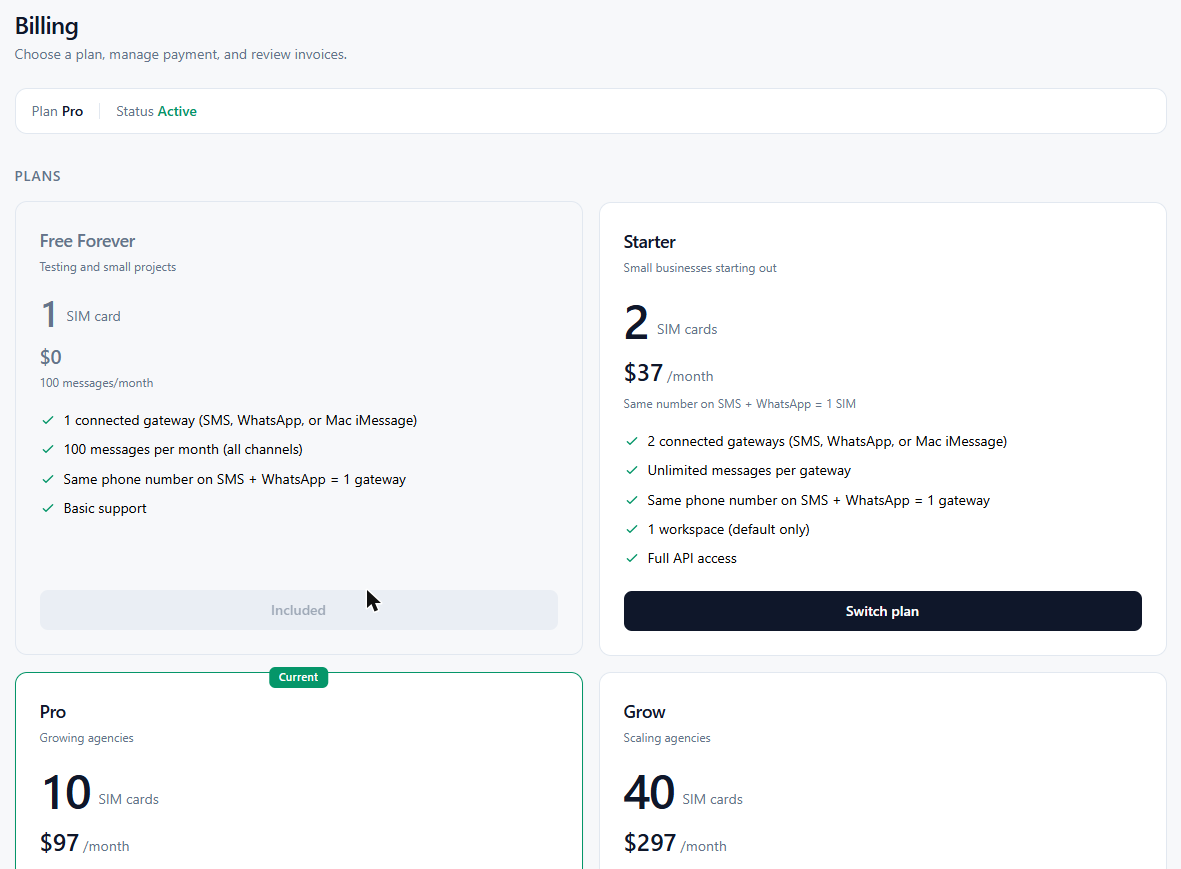
| Free | $0 | 1 | 1 | 100 / month |
| Starter | $37 / month | 2 | 1 | Unlimited |
| Pro | $97 / month | Up to 10 | 10 | Unlimited |
| Grow | $297 / month | Up to 40 | Unlimited | Unlimited |
All plans include SMS, WhatsApp, and iMessage. Need more than 40 lines or custom terms? Contact sales. Current prices are always on the pricing page.
How lines are counted
| You connect | Counts as |
|---|---|
| One Android SIM | 1 line |
| One WhatsApp number | 1 line |
| One Mac iMessage account | 1 line |
| The same phone number on SMS and WhatsApp | 1 line |
If you go over your plan’s limit, the extra lines are disabled until you upgrade or remove some.
1
Open Billing
- Click Billing & Plans in the sidebar.
- You’ll see your current plan, usage, the plan options, and payment and invoice settings.
2
Upgrade or change plan
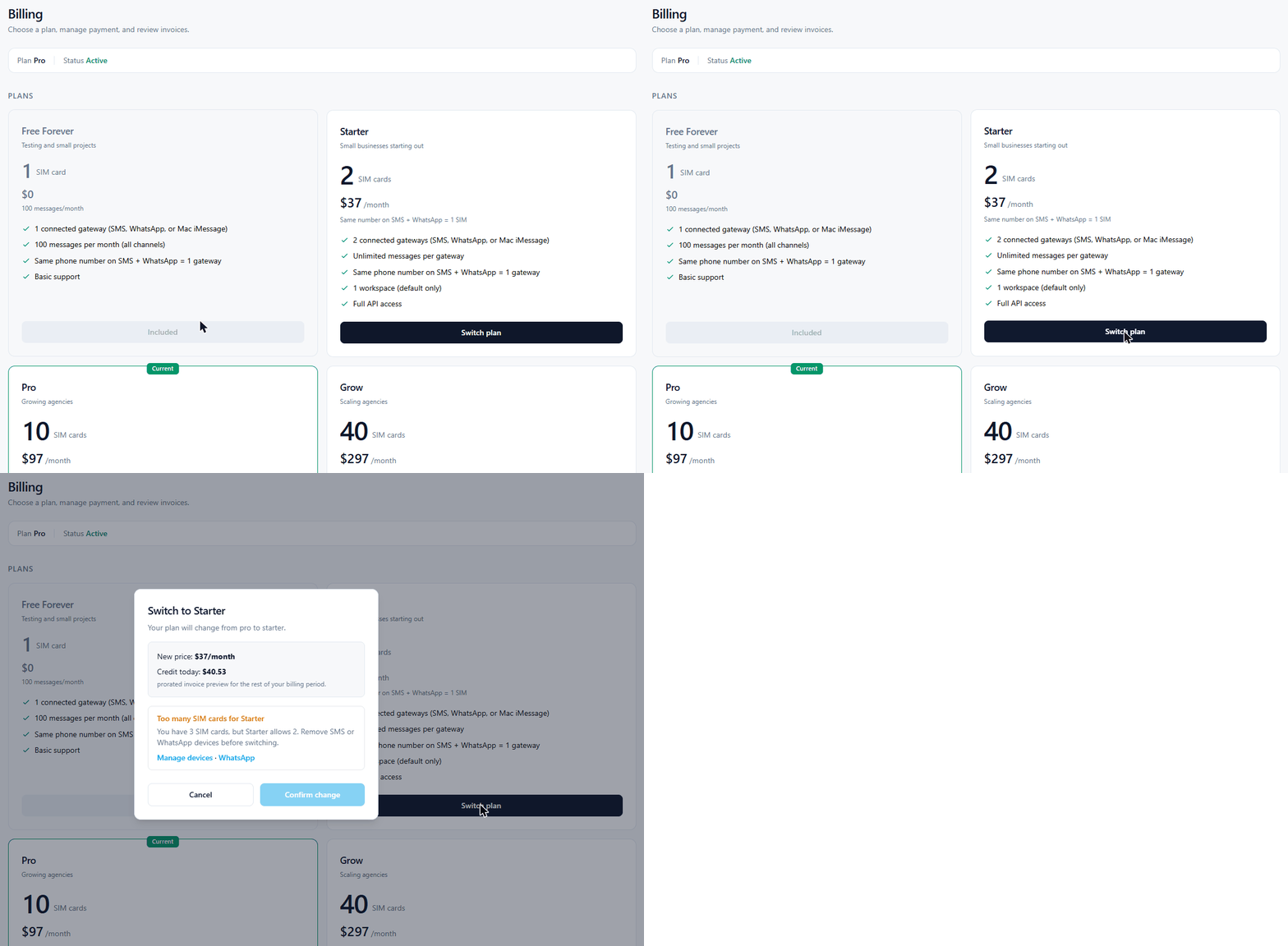
- Pick a plan under the plan options and click its button (for example Upgrade).
- Check the amount shown. Upgrades are prorated: you pay the difference for the rest of the month.
- Confirm.
Moving to a smaller plan asks for a short reason. If you have more lines connected than the new plan allows, remove some first (Manage devices).
3
Update your card
- On the Billing page, go to Manage → Payment method.
- Click Update Payment, enter the new card, and save.
Payments are handled securely by Stripe. All major credit and debit cards are accepted.
4
Download invoices
- On the Billing page, go to Invoices.
- Click PDF next to the invoice you need.
FAQ
How does billing work?
Plans are billed monthly on the same date each month, charged automatically to your card.
What happens when I hit the Free plan limit?
The Free plan includes 100 messages per month across all channels. Upgrade to any paid plan for unlimited messages.
How do I cancel?
Click Contact support on the Billing page, or email support@infinireach.io. Your plan stays active until the end of the period you’ve paid for.
Do carrier costs still apply?
Yes. Messages go out through your own SIMs and accounts, so your phone plan’s costs and limits still apply.