bulk SMS API integration: the short answer
Most bulk SMS API pages start with throughput, templates, and delivery dashboards. Those matter, but the harder buyer question is simpler: who owns the sender, who pays when volume rises, and where do replies go after the batch sends?
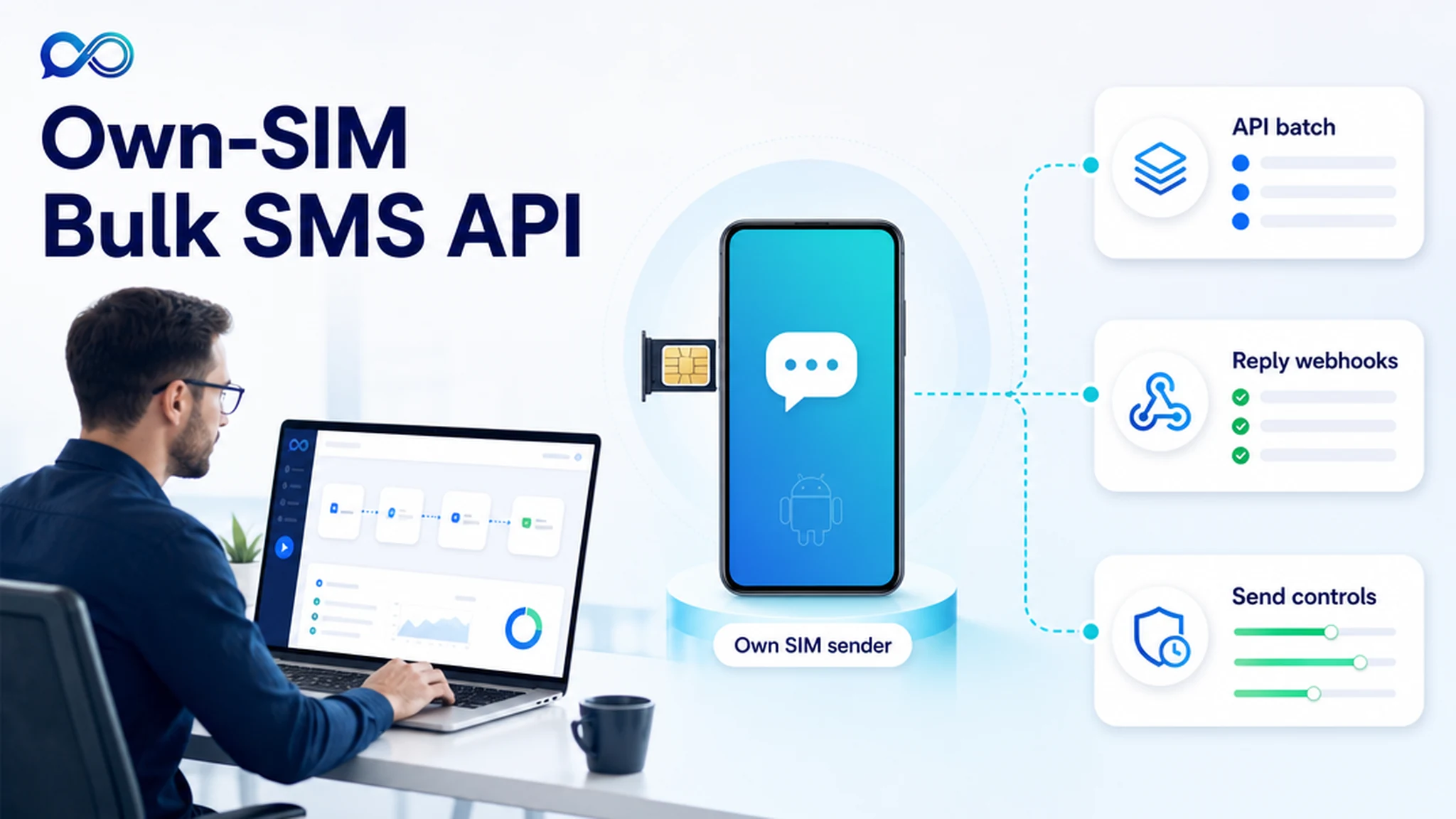
InfiniReach is built for teams that want bulk SMS from their own number. Your workflow can call the InfiniReach API, choose the sender and channel, send through a connected Android SIM where that path fits your rules, and send replies or delivery status back to the CRM.
key takeaways
Use this page if your bulk messages are tied to real customer workflows, not one-off blasts.
- Bulk sends can start from n8n, GoHighLevel, a CRM, a CSV import, or custom code that calls the API.
- InfiniReach can send SMS through your connected Android phone and SIM, so the sender can be a number you control.
- API fields such as from and channel keep sender choice explicit instead of hiding it inside a generic provider account.
- Webhook replies and status events make batches usable for follow-up, suppression, and human handoff.
- Send windows and daily SIM limits help operators avoid accidental oversized or after-hours sends.
why teams search for bulk SMS API integration
The search intent is usually operational. A team already has leads, appointments, orders, invoices, review requests, or support updates. They need a way to trigger many messages without copying contacts into a phone or asking a staff member to send texts by hand.
Hosted SMS APIs solve the programmatic sending part. Twilio publicly lists US long-code SMS at $0.0083 per outbound segment and $0.0083 per inbound segment, plus carrier fees and a $0.001 failed-message processing fee. Telnyx frames US SMS as pay-per-message-part pricing, with examples such as $0.004 per message part plus carrier fees for long-code SMS. That pricing can be fine for some teams, but it makes every recurring bulk workflow a variable line item.
where InfiniReach fits in the bulk workflow
InfiniReach sits between your automation tool and your owned messaging channels. Your CRM or workflow decides who should be messaged. InfiniReach handles the sender path, message history, two-way conversation layer, and webhook events.
That split is useful for agencies. Client A can use one sender, client B can use another, and the workflow can still use the same API pattern. The operator is not forced to rebuild the whole automation every time a sender, channel, or client account changes.
- Register an Android SMS sender through the invite or QR-style device onboarding flow.
- Call POST /api/v1/messages with a recipient, message body, explicit from value, and channel.
- Use webhooks to capture inbound replies and delivery status in the system that owns the customer record.
- Apply send windows and daily SIM limits before campaigns move from a test list to real customer volume.
a worked bulk SMS cost check
Assume an agency sends 18,000 outbound SMS segments and receives 2,500 inbound reply segments in a month for reminders, reactivation, and missed-call follow-up. At Twilio's public US long-code SMS rate of $0.0083 per outbound and inbound segment, the message usage alone is about $170.15 before carrier fees, phone numbers, failed-message fees, and other setup costs.
With InfiniReach, the question changes. You price the software plan, the Android device path, and the carrier plan for the SIM you control. That does not make consent, carrier rules, or deliverability discipline disappear. It does mean the agency can compare a recurring owned-SIM operating cost against a per-segment platform bill before it scales a bulk workflow across clients.
comparison checklist: hosted SMS API vs own-SIM bulk API
A hosted CPaaS provider is still the right fit for some work: global OTP, short codes, very large enterprise routing, or teams that want the provider to own carrier relationships end to end. InfiniReach is strongest when the buyer wants sender ownership, two-way workflow control, and fixed-cost-friendly bulk operations.
- Sender model: hosted APIs usually use rented, registered, or provider-managed senders; InfiniReach can route through your connected Android SIM and own number where appropriate.
- Cost model: hosted APIs price by segment and fees; InfiniReach lets teams compare that against device, carrier, and software costs.
- Reply path: basic bulk tools often treat replies as an afterthought; InfiniReach is built around conversations, replies, and webhook events.
- Operator controls: bulk tools focus on send volume; InfiniReach also supports send windows, daily SIM limits, and sender discipline.
- Channel mix: SMS-only bulk APIs are narrow; InfiniReach keeps SMS and WhatsApp in the same messaging stack when the workflow needs both.
best-fit bulk API use cases
The best use cases have a clear customer event and a clear reply path. If the campaign cannot explain why the customer gets the text, it is not ready for bulk automation.
- Appointment reminders that need “yes/no” replies back in the CRM.
- Missed-call text back for GoHighLevel agencies using client-owned numbers.
- Lead reactivation where each location or client should keep its own sender.
- Invoice, quote, pickup, and order updates triggered from a CRM, spreadsheet, or n8n workflow.
- Internal alerts for high-value leads or failed payments where delivery status matters.
what to avoid before going live
Bulk SMS gets risky when teams treat it as a volume lever only. The sender, consent record, message timing, reply owner, and unsubscribe path all need to be clear before the first real batch runs.
- Do not use own-SIM sending as a compliance shortcut. Keep consent, local rules, carrier policies, and opt-out handling in the plan.
- Do not send every client through the same sender unless that is truly the right business number.
- Do not ignore replies. Route them to a person, CRM, or workflow that can act on them.
- Do not let CSV imports or automation bugs bypass send windows and daily SIM limits.
a practical implementation path
Start with one batch workflow that already has permissioned contacts. Connect the Android sender, send a small test through the API, confirm the from and channel values, and verify that webhook replies and delivery status land in the right place.
After that loop works, expand slowly: add segmentation, add send windows, add daily limits, then decide whether the workflow belongs in GoHighLevel, n8n, a spreadsheet, or your own app. The goal is not to send more messages first. The goal is to make each bulk send accountable.
next step: price one real bulk workflow
Pick one recurring workflow and count its monthly outbound segments, expected replies, senders, and channels. Compare the hosted API bill against the carrier/device/software cost of an own-SIM setup. If sender ownership, reply routing, and cost control matter, map that workflow to InfiniReach pricing and test it with one real sender.