the short answer
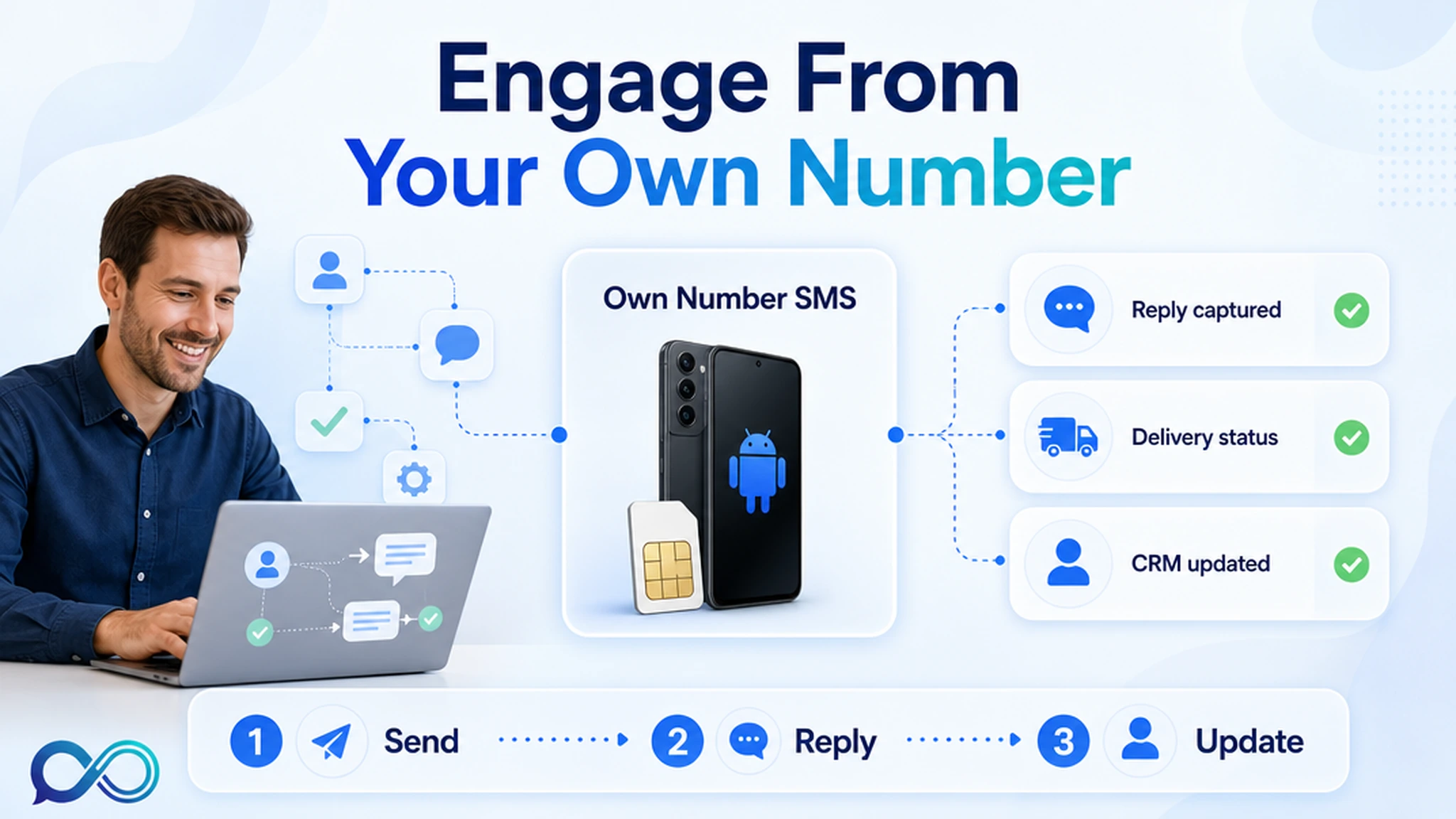
People reply to SMS because it lands in the same place as personal messages. That advantage disappears when a business sends from a rented number nobody knows, ignores replies, or sprays the same campaign at every contact.
The InfiniReach angle is simple: keep the sender close to the business. Use an Android phone and SIM as the SMS path, choose the sender and channel through the API, and route replies or delivery events back to the CRM. That is the difference between “we sent a text” and “we continued the customer conversation.”
key takeaways
Use this page if you want SMS engagement to drive replies, bookings, review requests, renewals, and follow-up without handing every message to a metered sender model.
- Recognized senders matter: customer texts work better when they come from the number the customer already associates with the business.
- Two-way SMS is the real engagement lever. Replies should update a CRM, pause a campaign, or alert a human instead of sitting on a phone.
- InfiniReach supports own-SIM SMS, SMS plus WhatsApp routing, API sender/channel control, webhook replies and status events, send windows, and daily SIM limits.
- For cost planning, compare the monthly workflow. Twilio lists US long-code SMS at $0.0083 to send or receive; AWS SNS lists US outbound SMS starting at $0.00645. Own-SIM economics are easier to predict when volume climbs.
why SMS gets attention
SMS has one practical advantage over most channels: it interrupts less ceremony. No login. No inbox folder. No app update. A customer sees the message next to the conversations they already check during the day.
That does not mean every SMS earns attention. Customers ignore mystery senders, generic promos, late-night blasts, and messages with no useful next step. Engagement comes from context: the right number, the right timing, and a reply path that respects the person on the other end.
- A reminder from a clinic number a patient already saved feels different from a random shortcode.
- A missed-call text-back works because the customer just tried to reach the business.
- A review request works better when it follows a real service event, not a cold list upload.
where InfiniReach fits in the engagement stack
InfiniReach is the messaging layer between the CRM workflow and the customer. The CRM decides what happened: a form fill, appointment, missed call, payment failure, or completed job. InfiniReach handles the sender, channel, delivery path, replies, and status events.
That split is useful for agencies. A GoHighLevel or webhook workflow can keep the business logic, while InfiniReach keeps each client tied to a real sending number and a controlled messaging path. The API can pass a `from` value and a `channel`, so the workflow does not guess which sender or channel should be used.
- Android relay app sends SMS through an own SIM and own number.
- WhatsApp can sit in the same messaging stack where that channel fits the workflow.
- `POST /api/v1/messages` style sending supports explicit sender and channel control.
- Webhook events can return replies and delivery status to the CRM or automation tool.
engagement patterns that need replies
The highest-value SMS workflows are rarely pure broadcasts. They ask for a small action, then change the next step based on the answer. That is why reply handling matters more than another library of message templates.
- Missed call text back: customer calls, nobody answers, SMS goes out from the business number, and a reply alerts the team.
- Appointment confirmation: customer replies yes, no, or needs to reschedule; the CRM updates instead of leaving staff to chase manually.
- Lead speed-to-response: a new lead gets a first message from a recognizable number, then replies route to the assigned owner.
- Review request: the customer gets a short request after the service event, and negative replies can go to a human before a public review ask.
- Payment or renewal nudge: the message points to one clear action and logs delivery or reply status for follow-up.
a simple monthly cost check
Engagement pages often talk about open rates and stop there. Operators need the math too. If an agency sends 8,000 outbound SMS segments and receives 1,500 inbound replies in a month, Twilio’s public US long-code SMS rate of $0.0083 per outbound or inbound segment puts the SMS usage line at about $78.85 before other taxes, carrier fees, phone numbers, registration, or software time.
AWS SNS publishes US outbound SMS starting at $0.00645, which would put 8,000 outbound segments at about $51.60 before inbound handling, origination identity, and other workflow costs. Those benchmarks are useful because they show why customer engagement becomes a margin question once every reminder, reply, and follow-up is metered.
InfiniReach should be evaluated differently. The sender is your Android phone and SIM where that route fits your consent, carrier, and local rules. You still pay for your phone plan and InfiniReach software, but you are not turning each CRM touch into a separate per-message platform fee.
compare SMS engagement setups
The right setup depends on what happens after the first message goes out. A hosted CPaaS can be right for global OTP, short codes, high-volume regulated sender programs, or teams that want the provider to own more telecom setup. InfiniReach is stronger when the workflow depends on a real business number, CRM replies, and predictable own-SIM operations.
- Hosted SMS API: strong developer tooling, but sender setup, A2P/10DLC review, carrier fees, and per-segment billing can shape the whole workflow.
- SMS marketing platform: good campaign UI, but reply routing and sender ownership may be tied to the platform’s number model.
- Manual phone texting: familiar sender, but no clean API, no central history, weak automation, and hard team handoff.
- InfiniReach: own Android SIM sending, API sender/channel control, SMS plus WhatsApp routing, reply/status webhooks, send windows, and daily SIM limits in one operating layer.
controls that protect the customer experience
Customer engagement gets worse when a campaign ignores time, consent, or sender discipline. A good workflow needs brakes as much as it needs triggers.
InfiniReach supports send windows and daily SIM limits. Those controls help an agency prevent a client campaign from sending after hours or pushing too much volume through one SIM in a day. They also make it easier to test one workflow before adding more segments or more client locations.
- Use send windows for local business hours instead of letting automation fire at any time.
- Use daily SIM limits to keep one sender from carrying every campaign or reminder flow.
- Map senders by client, location, or workflow so replies land with the right owner.
what not to do before going live
Do not treat own-number SMS as a compliance shortcut. You still need consent, responsible frequency, carrier-safe content, opt-out handling, and local legal review where needed. InfiniReach changes the operating model; it does not remove those responsibilities.
- Do not send to scraped or stale contacts just because the sender is your SIM.
- Do not ignore replies. If the customer answers, route the reply to a human or workflow.
- Do not mix client numbers. Agency sender mistakes create confusion fast.
- Do not start with every campaign. Start with one reply-aware workflow and measure it.
next step: price one reply-aware workflow
Pick one workflow that already matters: missed-call text back, appointment confirmations, review requests, lead follow-up, or renewal nudges. Write down the sender, monthly outbound volume, expected replies, CRM update, and fallback channel. Then compare the hosted per-message path with an own-SIM InfiniReach path.
If the workflow needs a recognizable number, two-way replies, SMS plus WhatsApp, and operator controls, start with InfiniReach pricing or book a demo to map the exact sender and reply flow.