n8n WhatsApp automation: the short answer
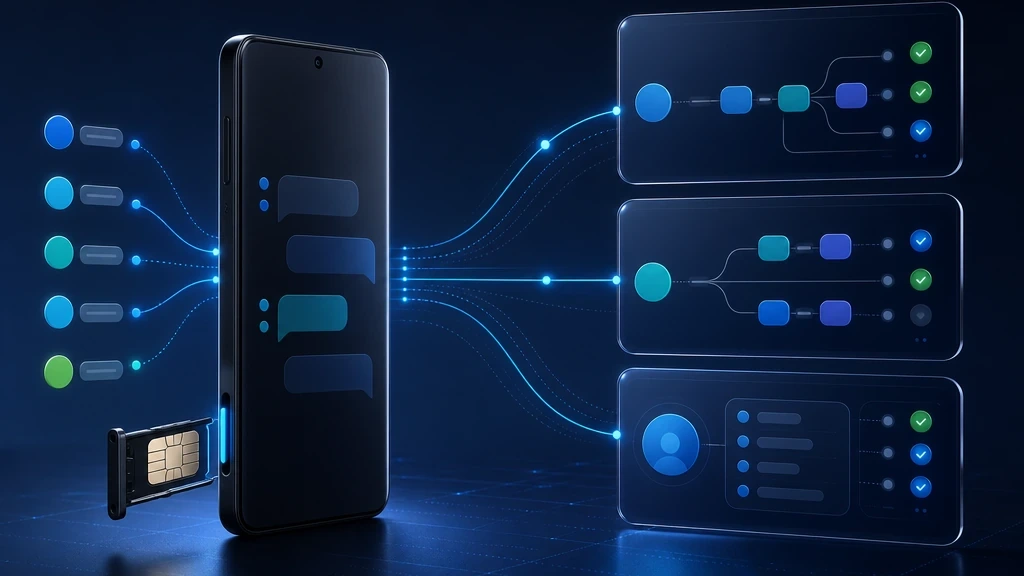
Most n8n WhatsApp pages teach the same first step: connect a WhatsApp API, send a test message, then wire a webhook. That is useful, but it does not answer the operator question: what happens when replies, status updates, fallback SMS, and sender ownership matter?
InfiniReach is built for that layer. Your n8n workflow can call InfiniReach to send from a chosen number and channel, then use webhook events to route replies and delivery status back into the automation graph.
key takeaways
Use this page if you want n8n to run real WhatsApp workflows, not just send one outbound test message.
- Send WhatsApp and SMS from a number you control instead of splitting channels across separate tools.
- Use API fields like from and channel so n8n can choose the sender and message path explicitly.
- Bring replies and delivery status back through webhooks for CRM updates, lead routing, and human handoff.
- Keep operational controls such as send windows and daily SIM limits close to the messaging layer.
why teams search for n8n WhatsApp automation
The search intent is usually production work. Teams want lead qualification, appointment reminders, support intake, order updates, internal alerts, or AI-assisted replies in n8n. They are not looking for another abstract WhatsApp tutorial.
Competitor pages often stop at Meta Cloud API setup, an n8n WhatsApp node, or a third-party WhatsApp API connected through HTTP Request. Those paths can send messages. The harder part is keeping replies, sender control, channel fallback, and cost exposure sane once workflows run every day.
where InfiniReach fits in the n8n workflow
InfiniReach sits between n8n and the real messaging channels. n8n keeps the business logic: triggers, branches, CRM lookups, AI steps, wait nodes, and error paths. InfiniReach handles the messaging side: the connected device, own-number sending, channel routing, replies, status events, and message history.
That split keeps n8n clean. Instead of building one workflow for WhatsApp and another for SMS, you can pass the sender and channel into InfiniReach and let the same automation pattern handle both.
- Android relay app for SMS through your own SIM.
- WhatsApp registration path for own-number WhatsApp workflows.
- POST /api/v1/messages style sending with explicit from and channel control.
- Webhook-driven replies and status updates for downstream n8n logic.
automation patterns that fit this setup
The best n8n WhatsApp workflows are usually small, direct, and tied to a measurable event. Start with one workflow that needs fast response or reply handling, then expand after the webhook path is proven.
- New lead in CRM → send WhatsApp first, then SMS if the channel or timing calls for it.
- Inbound reply → tag the contact, pause a campaign, assign the owner, or notify a human.
- Appointment due soon → send a reminder, wait for a reply, then branch on confirmation or no response.
- Failed payment or urgent ticket → alert the operator and log the message outcome back to the CRM.
- Agency client workflow → keep each client tied to its sender, device, and routing rules.
comparison checklist: WhatsApp-only API vs InfiniReach
A WhatsApp-only API can be the right fit if you only need one channel and already accept its registration, template, and sender model. InfiniReach is stronger when the workflow also needs owned SMS, fallback routing, and two-way operational control.
- Sender model: WhatsApp-only tools focus on WhatsApp senders; InfiniReach keeps WhatsApp plus own-SIM SMS close together.
- n8n control: generic tools often expose one send action; InfiniReach gives n8n explicit sender and channel control.
- Reply path: basic send APIs stop after delivery; InfiniReach supports replies, status events, and two-way conversation workflows.
- Cost model: metered providers turn each workflow into a usage line; InfiniReach is designed for fixed-cost friendly operations.
- Agency fit: one-off APIs are fine for a single workflow; InfiniReach is built around agencies and operators who manage many senders or clients.
a practical setup path for n8n
Do not start by automating every customer touchpoint. Start with the smallest workflow that proves the full loop: outbound message, delivery status, inbound reply, and CRM update.
- Register the sending device or WhatsApp path in InfiniReach using the invite or QR flow.
- Create an n8n HTTP Request step that calls InfiniReach with the recipient, message, from number, and channel.
- Add an n8n webhook endpoint for inbound replies and status events.
- Branch on reply content, delivery state, or contact status inside n8n.
- Add send windows or daily SIM limits when the workflow moves from test to client volume.
what to avoid before going live
The fastest way to make WhatsApp automation messy is to treat it like a one-way broadcast. n8n makes branching easy, but the messaging layer still needs consent, sender discipline, reply handling, and rate controls.
- Do not ignore inbound replies. If customers answer, route those replies somewhere useful.
- Do not mix clients or locations through the wrong sender. Keep from numbers deliberate.
- Do not promise compliance shortcuts. You still need consent and responsible messaging practices.
- Do not build a chatbot loop until basic status and reply webhooks are working.
when InfiniReach is the better n8n WhatsApp path
Choose InfiniReach when WhatsApp automation is part of a broader messaging operation: SMS plus WhatsApp, own-number sending, CRM routing, agency client work, and workflows that need replies to matter.
If all you need is one WhatsApp Cloud API demo, a narrow WhatsApp tutorial may be enough. If you need n8n to run customer conversations and fallback logic through numbers you control, InfiniReach is the more practical operating layer.
next step: map one workflow end to end
Pick one workflow: lead follow-up, appointment reminders, support intake, or payment recovery. Map the trigger, sender, channel, reply path, and fallback rule. If that map needs own-number control, SMS plus WhatsApp, and webhook replies, it is a strong fit for InfiniReach.